> That’s because with this feature we are automatically starting a companion system distro, containing a Wayland, X server, pulse audio server, and everything else needed to make Linux GUI apps communicate with Windows.
You see me impressed. Especially as they are supporting Wayland. Now please make electron apps non-blurry on Wayland
I've been using it for a couple of months now (by patching the applications which haven't upgraded to Electron 12 yet) and it's been working great for me.
Is there anything in particular that is broken and/or missing from Electron's Wayland implementation? Or are you referring to GNOME's refusal to implement server-side decorations [1][2] as a limitation of Electron?
I don't think GNOME adding SSD would really help, considering a lot of Electron apps tend to use CSD to integrate with the target platform [0] [1] [2] [3]. Likely those apps should be fixed to correctly use CSD when applicable on all platforms, including GNOME.
My impression is that there will always be apps that don't care enough about decorations and would just prefer to use the operating system defaults and SSD provided a reasonable way to do that. But then there are also applications that do care enough about it, in which case CSD is way to go.
Usually implementing CSD properly for each platform requires a bit more work than just relying on the toolkit's default or on SSD. This shouldn't be a problem for applications that have the resources to do this properly, as in your examples. But I'm a bit afraid that, given Linux desktop's market share, smaller app developers might not have the resources to do this right and then Linux will start inheriting the look and feel from Windows and macOS. Maybe this won't be a problem in practice, but if this starts happening, then the experience for Linux desktop users will be worse than just using SSD.
In any case, we'll have to wait and see how it all plays out. I think both SSD and CSD have their use-cases and I still wish GNOME's would reconsider their position on this.
For apps that don't care about decorations, the toolkit is supposed to handle it. Inside Electron would be the safest place to implement a fallback for applications that don't care about decorations. That way you can be sure it will work on any window manager that doesn't provide decorations, not just GNOME... I don't want to retread more of the discussion that was in the github issue, but one way to do it is to have Electron hook into GTK and draw the GTK decorations, like Firefox does.
GNOME is an open source project, asking them to reconsider a position doesn't make sense -- the default response to every feature request is "no" unless someone volunteers to implement it. And honestly I see very little chance that the current GNOME volunteers are going to implement server side decorations in Wayland unless someone outside the project steps up to do the work. Maybe Canonical would pay for it? It's a major change for something that no GTK/GNOME apps would even use, and it wouldn't really benefit those small applications... they would still have to draw their own decorations to handle any other window manager that doesn't implement decorations, such as Weston.
> GNOME is an open source project, asking them to reconsider a position doesn't make sense -- the default response to every feature request is "no" unless someone volunteers to implement it
I don't think GNOME would accept a pull-request adding SSD regardless of where it came from (I'd love to be proven wrong though). In fact, someone asked this exact question [0] and it got no reply. But after reading the whole thread a while ago my takeaway was that such a pull-request would not be accepted.
> [...] it will work on any window manager that doesn't provide decorations, not just GNOME.
GNOME is the only real desktop compositor that doesn't support SSD. The main reason no one is complaining about Weston not supporting server-side decorations is because there aren't many (any?) people running Weston on the desktop. Also, there's no technical reason why SSD couldn't be added to Weston too.
Again, as I've mentioned before I think both SSD and CSD have their use-cases. GNOME thinks otherwise and that's okay. But it doesn't seem to be (only) due to lack of resources.
The pull request probably wouldn't be accepted because it's a major change and no other Mutter contributors are interested in reviewing such a patch or dealing with the (far-reaching) effects of it. GNOME is just the nonprofit open source project and it doesn't really allocate resources or have resources to spare -- it's got to be a volunteer who works on this who has enough resources to do it in a way that doesn't mess it up for everyone else, maybe that's Canonical who can do it, I don't know. There is also the option of implementing it first in one of the forks (Elementary, Budgie, etc), testing it out for a while, and then submitting it later after it's known that it works and doesn't break everything. Getting upstream to accept a 10,000 line patch is not easy under any circumstances.
There are other window managers that don't support server side decorations, I don't know why people always single out GNOME. Weston is important too, it's not often used directly but it's used as a base for other implementations -- if your app is busted and has no decorations on the reference implementation it can hardly be called a working Wayland app. Server side decorations do have a use case but they're not equivalent to client side decorations. I used to think they were until I tried to implement them in a window manager, now I see server side decorations as mostly a broken concept unless it's in very specific circumstances. The toolkits and apps have to implement client side decorations if they want to ensure the correct behavior everywhere, it's unavoidable.
I think you are getting downvoted because you're mixing up terms. Ryzen is a CPU architecture brand (which all the deep learning libraries can use). You're wondering if CUDA-accelerated PyTorch (if there's an NVIDIA card) or a ROCm-modified Linux kernel + PyTorch (if there's an AMD card) would work correctly.
I am specifically enquiring about Ryzen based processors as anything CUDA related does not work with AMD and AMD has poor software support for ML in general.
Is that a problem for Microsoft? It's not like folks are going to move away from Windows as a result. The reason they run Windows is because that's what they know and that's what's installed on their machine when they buy it. This for the most part eliminates the reason someone would have to move from Windows to Linux.
Spot on. This is no knit-your-own-yoghurt altruistic move. It's all part of a well-coordinated effort to re-establish Microsoft as _the_ place that everyone does compute. "Commoditize your complement" as Joel Spolsky put it [0]; "windows on every desktop" for the cloud era.
Ballmer went head to head with open source and thought he could crush the threat. That didn't work, and things weren't looking great for MS before he was ousted.
Nadella's strategy is far more subtle: not quite Embrace/Extend/Eliminate, more Embrace/Neutralise/Replace.
Linux is a threat to server-side windows? Fine. Let them deploy on linux, so long as those linux boxes are in Azure. But that means devs get familiar with linux at the expense of windows, which means (a) they'll want linux on their desktop and (b) things are more readily transferable to AWS/GCP/whatever.
So: give them linux _in_ windows. Make appealing tools like vscode available free to create good will and positive sentiment towards Microsoft. Re-build the advocacy that hemorrhaged in the latter days of Ballmer's tenure.
And they're nailing it. By comparison to Google/Facebook/Amazon, there's very little negative press for Microsoft. And lots of positivity, even just in this thread.
It's hard not to be impressed by how successful they're being. And I say that as someone who still bears the scars from the 90s/00s hegemony. Microsoft was positively reviled by swathes of people in those days. Their attitude and market abuses rightly got them into hot water with the DOJ.
So, whilst I respect the turnaround, I'm wary. Microsoft is cruising inexorably back to dominance. History says that wouldn't be a good outcome.
A lot of developers use MacOS, particularly web developers who are almost always deploying the server to a linux machine. With the Mac being BSD-flavoured, a lot of open source tooling works the same as it does on Linux. MacPorts and Homebrew have done a lot to drive that.
The experience on Windows for this has been incredibly poor. There are solutions, but they're less integrated.
WSL comes in, along with Windows Terminal, and now you can have a much nicer time with it all without dual booting or running a VM.
Who knows where it'll be in a decade, but if anything, they're just making themselves a viable competitor to Apple by providing better development tools than they do.
Originally a Window dev, moved to Linux, eventually MacOS due to a lack of nice a DE on Linux and the nice UNIX base of MacOS.
Before WSL1 I would run Linux inside a VM from Windows and use remote development tools (like VSCode via SSH, SSH tunnels for port sharing, etc). It was all pretty straight forward, stable and I had no issues.
I used WSL1 when it launched and it was _incredible_. Bash actually on Windows. My workflow changed because of the level of integration I had with Windows. I could run browser automation tools against my Windows browsers, from Linux. I could run Windows programs from bash.
WSL2 came on the scene and introduced a hypervisor layer and I essentially came full circle. Sure it has some smarts around memory VM allocation - but it doesn't always work right and you're never really certain it's not running, consuming memory. Network port mappings were automatically tunneled, but only in one direction and they would occasionally fail causing random issues that require a reboot to solve. Now GUI windows are shared with Windows via RDP, cool..
Ultimately, WSL2 is the attempt to take Linux VM and make it appear like it's not a VM. Maybe it'll get there one day, but due to the got-ya's it's not for me.
I have since reverted back to using my choice of distro inside my choice of hypervisor, where I know what's going on and don't have to mentally reverse engineer the magic when it goes wrong.
I use wsl2 now with centos and I don't have any networking or memory allocation issues like the ones you describe.
> Ultimately, WSL2 is the attempt to take Linux VM and make it appear like it's not a VM. Maybe it'll get there one day, but due to the got-ya's it's not for me.
In my experience, its been pretty great and elegant to work with. I've used it for ~1.5 years so far and they seemed to have broken down a lot of those vm walls to make it seem like some kind of hybrid windows + linux operating system. Doing stuff like 'code .' from within wsl to open the current wsl working dir in the vscode windows gui is pretty neat. And you can also do kind of neat stuff like writing to your windows clipboard from within WSL by running the powershell windows executeable. This is in my wsl .bashrc to do that:
function cb () {
powershell.exe -command "\$input | set-clipboard"
}
echo "hello" | cb # write hello to my windows clipboard
> I used WSL1 when it launched and it was _incredible_. Bash actually on Windows. My workflow changed because of the level of integration I had with Windows. I could run browser automation tools against my Windows browsers, from Linux. I could run Windows programs from bash.
Cygwin has been able to do this for 2 decades, actual bash plus other unix tools compiled to actual windows exe's. You can even run some gui tools if you run an xserver on windows.
Even WSL1 wasn't as good, there were too many issues like tail not working properly on windows files, issues with network shares, interop, etc. I pretty quickly reverted to cygwin.
Ugh. Cygwin was such a pain back when it was the only option. It was yet another ABI and had all the breakage that implies. Even today, so many open source projects are full of ifdefs for cygwin.
I much prefer WSL1 and I've only run into a couple of issues over the last year (can't set Windows time from Linux and ssh-agent doesn't work out of the box) which is a significant improvement over cygwin or even a proper linux distro (which would occasionally boot to a black screen after updating anything related to X)
The same or similar patches exist for WSL. One of the examples I gave was tail not working on windows files, cygwin has had a patch for years so it just works, ubuntu had to add the same or a similar patch to work in wsl.
WSL 1 was an ok attempt but yea, it had a lot of rough edges. From my experience WSL 2 is a bunch better and I definitely like it better than when I used cygwin (but that was 10 or so years ago). Cygwin is an ok shell, but being able to yum install stuff and run linux programs on wsl 2 has been awesome.
I used Windows for twenty years as a developer and macOS for ten. Once I got away from .Net and iOS development and into Node/React both of them just got in my way while providing nothing of value. (Actually macOS has always annoyed me in many ways, so mostly I only used it for iOS stuff.)
Once I moved to Manjaro/XFCE a few years ago, all the problems disappeared. Docker just works. All the web dev tools are built for my platform and just work. There are no compatibility layers or emulation layers to worry about. I'm in charge of updates. I don't get nagged to do things at inopportune times. I'll never go back to either one of them full time. Windows for games, Macs for iOS/Xcode. That's it for me. Even for .Net and iOS now - I can do that too on Linux with .Net core and React Native.
I have the same feeling. Nothing altruistic about it, Microsoft stands to benefit greatly from having Linux inside Windows. Altruistic would be open-sourcing Windows or something.
That said, I'm glad they're seeking to benefit by increasing interoperability and developer goodwill. Their current strategy is good for users and devs and probably the best we can hope for. This will change if/when Windows becomes the one and only viable platform again and switches back to using that as leverage, but with the way things are going I think that will take a while. Not only have they been losing to Linux on the server front, they've been losing to the web and Apple/Google on the application & mobile fronts, so they are a long way from lock-in there.
This is a very smart strategic move on behalf of Microsoft that I would have never guessed (not because it doesn't make sense but simply out of corporate pride, considering they are the authors of the "Linux Facts" memorandum...).
I think it's smart because this will capture all those Linux people who aren't super comfortable administrating their own distro and even for those that are it's now giving them another option if they ever need to run things both in Windows and Linux at the same time or just run into some Linux issues and don't want to spend the time on them they can switch to Windows 10 WSL.
At this point the only thing that I still think it doesn't make much sense is Microsoft running/developing their own kernel. It's entirely possible for them to start running Linux and run all the WIN32 support, drivers, DirectX, etc as a separate sandbox (similar to the type of sandbox WSL runs). The performance overhead from doing that should be negligible on modern hardware.
EDIT: note that I only mean switching to Linux kernel for their desktop OS, there are plenty of usecases of Microsoft kernels where every bit of performance matters but I suspect those will continue to use their own kernel as part of Windows Server releases.
Corporate pride took a huge hit after they completely wiffed on mobile, then went on to throw good money after bad for a long long time before they were willing to admit that they had lost. Think about where MS could be if they taken google/android seriously at the beginning. For a while, the prevailing opinion was that Microsoft was nearly (or already) no longer a a supermax tech company.
Lots of business orthodoxy got nixed, most prominently the supremacy of Windows over all.
Do you think there is something inherent in MS's DNA that makes it more dangerous in a position of dominance than its competitors? Where you can extrapolate from MS in 2000 to now? (In any event, I personally don't think MS when it was dominant and going through the anti-trust suit was doing much that isn't routinely done by its competitors these days.)
Do you think there is something inherent in MS's DNA that makes it more dangerous in a position of dominance than its competitors? Where you can extrapolate from MS in 2000 to now? (In any event, I personally don't think MS when it was dominant and going through the anti-trust suit was doing much that isn't routinely done by its competitors these days.)
Microsoft is very good at making deals with management. The marketing/sales apparatus is what really sets them apart. I can imagine being forced to give up my mac because someone who is barely technical made a decision after going out to lunch and hearing that WSL solves all the reasons I would use a Mac while giving more control to the enterprise.
While that example is a stretch to match the story, it's basically the reason why all the developers where I work have to spend time migrating from our self-hosted GitLab to GitHub enterprise. BTW If anyone at GitHub is reading this, can someone pretty please add sub namespaces within the enterprise?
That's interesting. I raised a stink and demanded a ThinkPad with Linux after my former employer required CrowdStrike, Zscaler, and some self-service + remote-management crap on the Mac fleet.
Then they tried asking us to install CrowdStrike voluntarily on our Linux machines. I told them sure, once they ship a NixOS package for it. They never did, and the company shut down in any case.
Linux is a small problem with remote work, I'm currently working for a client whose VPN only supports Windows and Mac. I'm very happy about WSL in this situation, allows me to use my desktop with all the familiar tools instead of buying an expensive and underpowered Mac.
This limitation came as a surprise even to the client, they were under the impression that Linux would work fine.
When I'm feeling optimistic, I muse that the relentless hostility and distrust which a large cohort of 30+ year old developers will feel toward MS for their entire careers, might just be enough to keep them honest.
As one of those developers, I hope so: but I can barely bring myself to use VSCode, and made excuses to switch everything to GitLab once they bought GitHub. The latter is somewhat of a coincidence but it was a factor for sure.
I haven't really seen that, as a primarily Windows Dev all the moves they are making are to encourage you to use Linux over Windows for backend work.
Hell, they own Windows but for some reason App Services targeting Windows are more expensive than Linux on Azure. It's almost as if they want us off Windows.
They charge AWS the right to use Windows - so Azure also needs to markup by a similar price, otherwise they would fall foul of antitrust regulations. It’s not legal to give Windows away for free on Azure but not AWS/GCP/anyone else who wants to rent a computer from their garage (I.e. essentially making Windows Server free-as-in-beer).
Yes Microsoft does have an incentive to make a POSIX dev env available on their OS and also make the experience of using it not suck.
I'm curious as to why they didn't just purchase https://x410.dev/ and integrate that into WSLv2 as it has hidpi support already too. Also If Microsoft is able to get GPU compute working with native performance I would absolutely switch back from M1 mac.
One difference is that this is based on Wayland, whereas X410 is based on X11. The Linux desktop is currently undergoing a (very) slow transition from X11 to Wayland.
There's sooo much more stuff, going back decades further:
1) Putting code in Windows, back when it was a separate graphical shell that ran on top of DOS, to detect if it was running on DR-DOS and shutting down with error messages more or less vaguely blaming the underlying OS.
2) Screwing their development partner IBM over on their joint project OS/2, switching to marketing their own branch Windows NT in stead.
3) Bundling their productivity apps together into an "Office Suite", thereby having the strongest[1] ones help selling the weaker[1] ones. (Yes, such bundling used to be illegal; it's actually a legal term that may have entered the vernacular via their first antitrust trial. For all I know it still is illegal in other industries.)
4) Related to both of the above, faking out Lotus and Word Perfect by pretending that OS/2 was the way to go, but themselves developing MS Office to have it work much better on Windows 3.x than these competitors. Arguably, WP an Lotus were somewhat out of touch and got started on porting their apps to Windows 3 far too late... But from all one could gather from the media at the time (and the trial documents later), that was in large part because MS had kept them in the dark.
5) OEM license deals with computer manufacturers that made selling both machines with Windows and with other OSes much more expensive for the manufacturer than if they sold only Windows machines. This was the main reason, IIRC far into this century, that it was almost impossible for ordinary consumers -- including up to at least SMBs -- with Linux preinstalled. (And I suppose this history has led to entrenched habits and business models in the industry which still make it pretty difficult and rare.)
And these are just the landmark ones that come to mind immediately. Beyond that, there were just endless amounts of "FUD"[2] and "EEE"[3] that helped them become a de facto monopoly in PC operating systems (and, arguably, office productivity software) -- "Linux is a cancer", etc etc. (Wouldn't surprise me if they're behind the insidious terminology of calling copyleft licenses "infectious" and "viral", too.)
All in all, back in their heyday -- from at least the mid-eighties to at least the early 00s -- they were just simply the actual supervillain of the computer industry.
And damn, it makes you feel old -- "What's wrong with kids nowadays, that they don't know this stuff?!?"... No, really, I just realized I'll probably never get around to trusting Microsoft again: When someone's been behaving very badly for years, then claims to be rehabilitated, how long does it take you to see them as trustworthy again... Twice as long as they were "bad"; three times? Counting low, say twenty years of monopolistic FUD / EEE / illegality and a 2× "probation period" starting ten years ago, that would be in thirty years. If I live, I'll be 87 then.
Buuut... Given their history as I know it, these current WSL shenanigans feel far too much like EEE all over again. (And, not to be too paranoid about it, I'm still not sure Stephen Elop wasn't a mole parachuted in at Nokia to try and make the mobile phone industry a Windows Mobile quasi-monopoly...) So, supervillain career possibly still ongoing.
___
[1]: Which is which varied with the customer. In the legal business, Word Perfect used to be the absolute de facto standard, but they were probably less married to their Lotus 1-2-3 spreadsheets, so getting Excel bundled in "for free" with MS Word was at least a bit of an incentive to switch. In the accounting industry, it worked the other way around.
>This for the most part eliminates the reason someone would have to move from Windows to Linux.
This 100% describes me. Not only does WSL remove a reason to dump Windows for Linux but it evens removes the need to dual boot. Linux is becoming a Windows App like a browser or media player.
No, the reason I run Windows is because I actually love using it and developing applications with it, not because I'm not capable of installing another OS.
Hell, I took it one further. I blew away Windows and installed Linux.
Then I went back to virtualized Linux because I got tired of my hardware not working.
Now I get the best of both worlds for me. I can do all my work in Linux and all my peripherals work.
Not everyone that chooses to run something else does so because they're incapable or an idiot, sometimes people just want to take the happy path and get on with the important things.
Judging by the performance/UI catastrophe of Outlook, Teams, Windows Terminal and the rest of Office, Microsoft has already stopped writing apps for Windows. Look at them, eating their own dog food.
Same. I am not a Windows person and never have been, but Windows Terminal is clearly lovingly maintained and already much, much better than previous terminal emulator offerings for Windows. I don't particularly wish I had it on Linux, but it's already my go-to when I have to use Windows for a bit, and I think it's an impressive piece of software.
cmder [0] is great. When I was forced to use Windows, a good terminal emulator was the first thing I looked for. The trouble is most Windows users don't know what a terminal emulator is or that anything better is possible. But it has been possible for a long time.
Cmder used to be my go-to for the times I had to use Windows before my most recent attempts which came after WSL, PowerShell Core, Windows Terminal, and the whole new ecosystem Microsoft seems to be invested in building around the command line. I don't remember any specific complaints about it except that configuration (if you wanted to customize it— defaults were quite good) options were kinda overwhelming. At the same time, I don't have any interest in going back to it after using Windows Terminal for a while.
I'd be curious about your first impressions of Windows Terminal as a more recent cmder user, if you still have a Windows VM lying around.
My judgement of Windows Terminal might have been unfair, but it has its annoyances.
- Sometimes the preferences just decide to go through the "open as a json file" path
- I don't know if it's my settings or what, but in WSL2/Ubuntu 20.04 I keep getting into a state where my background is black but lines fill in white. I've used the same .bashrc for a decade without that issue.
- The copy/paste UI is different both from normal Linux interfaces, from CMD, and from the Windows standard.
- As far as I can see, no support for USB CDC devices either via WSL2 or through Windows itself. There's no reason I should need PuTTY still to access a usb-serial console.
Personally I'm thrilled to finally have a good terminal experience on Windows. The copy/paste behavior is very comfortable to me, given the similarity to gnome-terminal. And to be honest I never really got comfortable with CMD's behavior.
I don't use WSL itself much, so I can't comment on those bugs except to say I hope you find fixes.
Windows Terminal has a very noticeable lag when typing. To me that makes it completely unusable. I'm using this other default WSL shell app -- I don't actually know what it's called, just says "Ubuntu" for Ubuntu WSL installation.
One of these things is most certainly not like the other. I'm not saying your experience is wrong, just that the general opinion of Windows Terminal is quite positive and can't really be lumped in with the likes of Teams and Outlook.
Yeah, I might not be being fair about Windows terminal. I get into my issues with it above, but I was also a very happy Cygwin/MinTTY user so my standards might be warped.
I believe Microsoft is expected to replace Outlook with a web app-based version in the next major release. Google Chrome is the new Microsoft development platform, it seems.
This would allow them to run Outlook natively in EdgeOS, their fork of ChromeOS, in which the default search engine, Bingle, is a proxy to Google Search with nice backgrounds.
I'm not aware of any "performance/UI catastrophe" of any of the apps listed above, any context? Sure, Outlook and Teams have less than ideal UX, but the "rest of Office" is pretty good imo.
Pretty sure WSL is a developer tool, so "normal" would still need native apps, unless they go through the hoops of activating WSL so that they can listen to Spotify.
Before the year 2025, when Windows has switched from the NT kernel to the Linux kernel, we will all ask "What exactly is Windows?" (in the spirit of Theseus' ship) and "Is this outcome really Linux on the desktop/laptop?" (in the sprit of No True Scotsman)
To avoid too much theory lol, my perspective is that MSFT views Windows as the trademarks and the 30+ years of backwards compatibility layers (e.g. Direct3D, WinAPIs, etc), and everything else is already expendable (kernel, drivers, etc). Meanwhile, the (slow?) migration to ARM and Web(Electron + derivatives included) will deprecate the compatibility layers too.
FWIW, I think people will still only develop "for Windows" not develop apps "for all Linux distributions", the same way people develop "for iOS/macOS" not "for all *BSD distributions".
MSFT reduces developers and costs because kernel costs become "a relatively large corporate donation" (tiny compared with the reduced developer salaries) and drivers are created by hardware companies instead. Meanwhile, MSFT increases revenue through Azure, consumer services like gaming, consumer electronics (e.g. VR, Surface, etc), enterprise sales "for the support/compatibility", and increased adoption/street-cred given its now "Linux on the desktop, laptop, AR/VR and tablet". Its simply a no-brainer for MSFT.
This is not a new idea: found one of my responses from 2016 https://news.ycombinator.com/item?id=11390719. There is a parent comment describing Windows as "just another Linux distribution", albeit it'll 1. be the most deployed Linux distribution by a lot and 2. continue to have a closed-source UI toolkit (e.g. Cocoa on macOS).
> Before the year 2025, when Windows has switched from the NT kernel to the Linux kernel
> continue to have a closed-source UI toolkit (e.g. Cocoa on macOS).
The comparison isn't apt. macOS can use BSD licensed programs because it's allowed to create derivative works that are closed source. Anything constituting a derivative work based on the Linux kernel has to be open source because of the GPL's virality.
So unless you think Microsoft will be willing to keep all their custom software restricted to userland (requiring basically everything else to be GPL) it seems extremely unlikely that this will happen. Microsoft is going to want to continue developing an operating system, not merely a Linux distribution.
Obviously I'd love to see it happen, but I find it extraordinarily unlikely for these and other reasons (backwards compatibility? Continuity with previous sysadmin tools?)...
> Microsoft is going to want to continue developing an operating system
I'm not so sure. I don't think MS sees itself as primarily a OS company. I think it sees itself as primarily an applications company, and the Windows OS (and before that, MS-DOS) was historically the best way to get everyone to use their applications. (It was a great help, of course, to have IBM basically hand them the PC software market, not once but twice--but I think if IBM had had their s*t together and had made OS/2 solid and workable sooner, MS might never have developed Windows.) But the Windows OS itself I think has always been expendable if MS could find a way to get everyone to run MS Office applications, .NET applications, etc. (and now Azure applications) without it. This might be the way that finally happens.
> backwards compatibility? Continuity with previous sysadmin tools?
If then can make Linux run on a Windows kernel, they can also make Windows run on a Linux kernel. All they need is a compatibility layer for all the Windows APIs. And MS is certainly no stranger to compatibility layers.
Wouldn't it be easier for MS to just open-source the NT kernel instead of making the big shift to Linux? I can't think Windows' internals (if they ever get exposed) could have been inferior to Linux in any way.
Networks effects. Microsoft doesn’t want to recreate a 20 year old organization/community that has been built on primarily donations. No company or large group of people is going to donate the same levels of dev-hours to the NT kernel.
It’s just simpler to have a team or two of in-house devs contribute those improvements from NT to Linux.
Yeah this is just like when IBM's OS/2 ran Windows applications. Software developers thought "Great. I'll just code it once for Windows and be on OS/2 for free!"
... except that if Microsoft did, likely very few would embrace such extensions.
A successful EEE play requires a lot of pre-existing trust that has to last through the Extend phase, which is why I don't think they'll ever try that again in the foreseeable future.
I'm still convinced the long term plan is to stop people being able to boot a Linux kernel on desktop hardware (think secure boot) and when people complain the response is going to be "but you can run Linux on Windows!"
After all, there must be something diabolical when Microsoft is just doing something to appease devs who have for years railed against them for being dev hostile.
The difference is, the constitution of South Africa now makes apartheid legally impossible (I assume, I haven't actually read it), whereas the corporate charter of Microsoft not just allows but potentially requires it to attack Linux.
These settings are being respected, as far as I can tell. Since when is it not common sense to assign a reasonable amount to a VM? The only thing that does not seem to work well at the moment is a "memory balloon" RAM allocation scheme. WSL2 is a VM, not a shared memory container. They could do better, but RAM is pretty cheap nowadays and WSLg is IMO the much more productive feature.
SQL Server by design grabs as much RAM as it can, as aggressively and preemptively as it can, because it assumes it's the most important process running on the machine. Which is almost always the case in production environments, and a reasonable default behaviour as a result. If that's not the case, you can easily set resource limits at the application, container, and/or VM level.
(This comment coming from someone who used to have to support running small backup MSSQL instances on Windows 8 tablets.)
Yep this. SQL Server using RAM is by design. If it's using too much because you're using it for dev work then you can simply limit the amount it can access. RAM is there to be used!
It's a perfectly fine design so long as there's one, and only one, program that is maximizing its RAM usage. When you have many programs (e.g. the browser, Teams, slack, every single electron app), then you get loads of contention.
Can't speak for OP but here in Africa I've worked on a two unrelated projects where poor internet connectivity meant it made sense to have a local SQL Express running on a users device, which a service would then try to regularly synchronize with the central server. Makes sense when you are capturing documentation and can make all the decisions in disconnected operation.
WSL2 runs in a vm which is integrated with windows, so it actually dynamically requests memory from windows as required. It also can release memory back to windows and is basically is represented on the windows side as a windows process.
Unfortunately like a process there is no way for windows to request memory back from linux (besides killing the entire thing). So its up to the linux kernel to decide what to release back.
What that configuration does is limit the maximum amount of memory it can request (what the linux kernel sees as the total system memory). The reason you need to set a limit right now is that the linux kernel will pretty quickly request most of your windows memory to use as page cache if you don't limit it.
Microsoft is working to allow the linux kernel to use the windows page cache instead of maintaining a separate one.
It sounds like a very complicated topic, it's crossing multiple isolation boundaries, and pretty risky to implement, too. A bug can be maximally critical.
> Unfortunately like a process there is no way for windows to request memory back from linux (besides killing the entire thing).
I have long thought it would make sense to add a way for the OS to ask processes to relinquish memory that they can do without. A lot of processes have memory that they use for caching which can safely be dropped but doing so when the memory is not needed elsewhere unnecessarily limits performance.
That would require the application to support it. Like, "got anything you can dealloc?" "Oh shoot, now you mention it..."
What exists already in the Windows VMM, and I assume other OSes VMMs, is a distinction between allocated and committed. That's likely to be the best that's realistically achievable. The win VMM also has a last-accessed strategy for paging to disk, and de-duplication of shared pages.
Are you sure? I watched the conference and this uses the RDP framework behind the scenes, integrating with Wayland. Why would it consume much more than running natively?
It's not perfect: I run IntelliJ in Arch WSL1 and 1) it crashes every time it opens a .md file athough I have (LIBGL_ALWAYS_INDIRECT=1). I have to put
-Dsun.java2d.opengl=false
-Dsun.java2d.d3d=false
in idea64.vmoptions and disable the markdown plugin (maybe only 1 of them is enough) 2) In Windows, IntelliJ automatically saves files when it loses focus. I have to remember to Ctrl-S all the times with IntelliJ in WSL1 3) IntelliJ can't detect where there's a change in the file system. I have to Reload All from Disk all the times.
WSL2 essentially invalidates one of the primary design criteria of the NT kernel, which is that the kernel itself should be able to service any number of "personalities" to provide userspace compatibility with other operating systems.
In practice, this turns out to have meant DOS, OS/2, and a barebones POSIX workalike. Modern Linux is too huge and provides useful APIs that go against the grain of modern NT, so applications are slow in WSL1 and there are too many impedance mismatches to paper over to make the investment worth the effort.
Sure, but I upload my experiments to a Linux cluster and only use my machine for development. Windows IO performance is more important to me than compute.
That's been going on for a few months already, I have a single Docker image running in WSL2 running SQL Server and it's using 5 GB of memory while idle.
Maybe unrelated but I think it is a Hyper-v (w10) issue, not a WSL one. At least same thing happened to me some days ago on one VM running on Hyper-v, it went crazy and consume all my 32gb of ram. It seems to be fixed after reducing the number of cores available to it.
Maybe it's just me, but after testing Steam on Linux, which promised a good coverage [1][2], i'm more and more feeling like replacing the only left Windows device with linux. The only thing that would make sense for me, is that microsoft should port their UI to linux and handle their backwards compability with wine.
I mean, what is the benefit of keeping their own kernel, when obviously they understand that another kernel and userspace is more and more important, and even used by them selfs.
Except, not all games on Steam work on Linux. I’m primarily a Mac user, but I have a windows partition on my laptop so that I can play steam games that are Windows only. It would be fantastic if there was no such thing as Windows only games anymore.
I so far stumbled upon only a single game that doesn't work on linux for me, and it's not because the game is not working, but because the anti-cheat tool has problems and the game doesn't let me join multiplayer sessions.
Well I'd be inclined to agree with the parent as even per the link to ProtonDB included by the GP about 40% (as of this moment) out of top 10 most popular games are not working under Linux (status: borked). I love linux and use it 90% of the time every day but I also have an old and derelict windows partition just so I can launch a game or two from time to time. Maybe the day will come when all games work flawlessly on Linux and I certainly hope it will. But evidence suggests that we have still some way to go...
I have been primarily using Linux as my main gaming system, and I can say it's pretty great.
Among the games that did run flawlessly for me are The Witcher 3, Skyrim, GTA 5, numerous indie games (Dead Cells, Hollow Knight, Northgard, etc.) and so much more!
I have been a Mac user for many years, and typically used Macs for development and a Windows PC for gaming. I recently setup WSL2 on my new Ryzen desktop, and it has been great for web development. Works pretty seamlessly, and not being able to run GUI apps was one of my few complaints (mostly because I wanted to run a graphical git difftool). Glad to see they have addressed this.
This is EXACTLY my story (right to the Ryzen processor). Always been a Mac developer, got windows PC for gaming, then tried to do all my development on it, with WSL making that that actually enjoyable.
The VS Code team has done a phenomenal job with VSCode remotes - it's like magic. Such an incredible architecture that allows them to do that.
Hej, almost the same for me, but after seeing steam-proton and wine overall more and more capable of running games, i consider switching to linux. Even Microsoft accepts that linux is so important today, that they started to do a hole lot to emulate/integrate it. Why bother with an emulation, when you can get the real deal?
I've always found it to be 99% there. But that 1% prevents you from doing any serious work. Things like mongo become a nightmare when using WSL. Its been entirely frustrating for me.
I would have much rather they focused on getting popular libraries to work rather than focus on the flashy GUI features
Yes. On my Surface Go 2, WSL2 got me 99% of the way there, but having to forward my ADB port (for KaiOS dev) and then other issues (unresponsive X apps on resume) led me to install Arch and then wipe Windows.
More specifically:
i3 helps me make better use of my limited 10.5" screen AND my limited RAM & CPU. Plus, 'composing' my own desktop environment has advantages: with the help of i3's wonderful docs, customizing things to fit me is easy: foreign city's time next to local? Done. A custom brightness command whose intervals I can adjust? Check.
I loved WSL2 until I discovered the speed of my Arch + i3 install.
I used to think i3 was only going to be useful on my small laptop screen.. then I got dual monitors.. it's so nice having such control over my windows.
Very interesting -- especially the fact that CBL-Mariner (Microsoft's internal linux distro) is used to plumb X11/Wayland apps across to a Windows-based RDP client. The complexity involved is a little unreal to behold[0].
I wonder - is Microsoft truly committed to this path of building Linux support into Windows for the long term? Have they considered building an MS Linux distro with support for Windows apps? Perhaps by embedding the actual Win32 COM server, which would function like the COM server in WINE but be multi-threaded.
I'm not a Windows guy, but I'd be sorely tempted to switch from MacOS if Microsoft released a fully-supported Linux distro (with or without Win32 support).
WSL allows some developers targeting Linux to continue using Windows as their main OS. It also makes them more likely to choose Azure over AWS due to integration with the tools. It's a well-planned move that translates into real revenue.
Free fully supported Linux distro with Windows support will only reduce the sales of Windows itself. So no, this isn't happening.
> Free fully supported Linux distro with Windows support will only reduce the sales of Windows itself.
I didn't say free, though that is one option.
I'm thinking if they could build a DisplayPS compositing window manager on top of, say, an MS-supported Ubuntu derivative, make the window manager awesome, market and sell it as Windows NC for Next Century, build in hardware support for everything -- basically go all-in.
Keep the next-gen window manager, core apps, and the Win32/DirectX compatibility layers proprietary, the rest open-source, and license the whole thing. Charge $200 per license or something.
If they did all that, they'd make a killing.
The fact that it's a Linux distro at its core would be a relatively small detail (and a killer feature for developers at the same time). Darwin is also open-source, but MacOS on top is highly proprietary and profit-producing.
What's the advantage? If anything, this plan only kills what is arguably the best part of Windows, which is the kernel, and leaves all the worst parts (e.g. legacy Win32 APIs)
I don't think the intersection of people who want a Linux kernel but a Microsoft-managed OS is very large, especially if it were the same cost as Windows. Just use Windows, and if you need to run Linux userspace apps then use WSL. Doesn't that already solve the use case you are describing?
I like WSL itself and would use it... except for the fact that I hate Windows and actively avoid using it. I'd rather run a Linux VM in Parallels on macOS than use Windows+WSL. I agree the NT kernel is nice in theory, and NTFS and .NET aren't bad either. But GDI, Win32/COM, the registry, Device Manager, the cmd.exe interpreter, backslash as path separator, drive letters, and so many other details are relics of a bygone and very misguided era from which they have yet to make a clean break. Stick all of that in a compatibility layer I can opt out of, and I'll be happy :)
Try resizing your browser window from the left edge -- watch the ugly, flickering repaints on the right side of the window. Yes, I know Linux does that too, but macOS doesn't. And someone besides Apple needs to build a DisplayPS-based, double-buffered compositing window manager on top of a clean, OSS platform. I'd personally rather it be Microsoft than any other of the big 5.
And if it were Linux-based, I wouldn't have to run a Linux VM on macOS anymore for my dev work :)
I'm a huge macos fan for just plain ease of use. But for machine learning stuff mac is not really an option right now, what with newer Nvidia cards not being compatible and the monopoly of CUDA. I've made the switch with the new comp. Windows with WSL is pretty much the same for dev now. And I've got games, music production and ML capabilities all in the same OS. Keeping MacOS in a VM though for iOS testing. A bit slow graphically but just about acceptable.
> Kind of hard to justify buying anything else for a dev laptop at this point.
It will be interesting to see how the M1/M2/... series of Apple silicon evolves. If they can deliver graphics performance on par with a low-end nvidia GPU I'm pretty much sold on it in the near future. PC has simply no hardware to compete with that, may it run Linux or Windows.
WSL2 crashes consistently n my own microsoft laptop in current windows, and I've tried diagnosing an improper configuration: how does one work around that?
This doesn't seem like a genuine question. You provide no details, and WSL2 works great for everyone I personally know. You could probably get help there: https://github.com/Microsoft/WSL/issues
But, obviously, you would have to actually be willing to provide meaningful details and not just... what you posted here.
Thanks for the link, and the only thing i've been doing is debian in WSL2 on arm (Surface Pro X), which works great, as does fedora....the strangeness is that the subsystem seems to freeze perhaps after a sleep / wake cycle, but not at a predictable time delay.
Anyway, since that's a showstopper, it's unusable, and i'm going to check out that link. thanks again.
That's awesome, although it's not as great as it might appear at first glance. I once took on a job to write a .bat script to compile a GO app any Windows machine without any Go environment installed. The script ended up about 20 lines long, and could compile the app on a fresh Windows install on any machine. It just took all day to write when I thought it would be done in 30 minutes.
Working with GO on Windows can be a pain, but my takeaway from this ordeal was that it wasn't really the fault of MS or Google, but due to most Windows users actually having no idea how Windows works, even software developers who have been using the OS for 20 years.
The NT kernel/hypervisor is a marvel of software engineering but unfortunately it is not as easy to teach in OS classes compared to Unix/Linux family systems.
Which chromebook do you have? I was recently tinkering with my pixelbook on the dev channel, I believe you can launch kvm vms from the chromeos 'linux subsystem' it's kind of like WSL2 in reverse but with KVM vs hyper-v. Wonder how a win10 vm would run, although the lack of workstation grade hardware for chromeos seems like it would hold that back. Launching android apps is pretty slick though
I have to use a secure Windows laptop for work, but I admin Linux servers. WSL has been great for me, if only so that I can use a real linux command line and terminal instead of PuTTY when I SSH into boxes.
Windows still does not support sub virtualization on amd hardware. I.E you cannot use kvm in wsl. Why would you want to? Testing in clean environments. Microsoft also does not allow vmware to use AMD-V if you have WSL or hyperV enabled. I believe that is also an effect of sub virtualization.
There's currently plenty of bugs wherein if you use vmware without amd-v things like disk encryption don't work (fedora 34, ubuntu 20.10 etc).
Microsoft continually says "they're working on it" but it's been a long while and it's obvious they have other priorities here. AMD ryzen cpu's have been the superior CPU for a while now, methinks there's lots of handshakes between intel and microsoft.
"In fact, it is the number 1 ask on Windows Server’s uservoice page. At the time of this blog post, it was almost 5x more than the next feedback item."
Main takeaway: you can open apps by clicking on the icons. So you'll be able to have shortcuts without opening a terminal. That's great! Will render my local X server obsolete.
A little clunky, but it works well. I make a "bin" directory in my windows home directory with visual basic scripts in it to launch things from Windows shortcuts. The "xterm.vbs" script from my "bin" directory:
Why is all this needed? I admit I didn't in depth read the article yet but something seems out of whack if we can have the Linux compositor use the native graphics hardware but then have to copy over the resulting framebuffer through some sort of Rube goldberg machine fake network RDP setup.
I suppose this was just the easiest plug&play way to get interactivity working?
Microsoft, just go all in: embrace Linux kernel and make a MS GUI on top of it, call it MSLinux or something. It will save time/money along the way I believe.
One of the main values of Windows today, at least for businesses, is backwards-compatibility- not the GUI. DOS programs still run on it, if that tells you anything. So they aren't going to be dropping Windows Proper in favor of a skinned Linux distro any time soon.
That said, maybe it would be feasible if they built a "Linux subsystem for Windows" that could run any legacy Windows app inside Linux, just like Windows can currently run any legacy DOS app (without actually being based on DOS). An official Wine, if you will.
> One of the main values of Windows today, at least for businesses, is backwards-compatibility
That may be true for small businesses, but I think the single biggest value of Windows to BIG businesses is the ability to screw around with the policies such that, for instance, you can lock a user out of changing their screensaver timeout or their desktop background, as though this had any actual impact on security.
My corporate laptop is infested with tracker programs and scripts which make sure I literally can't do anything with it that I shouldn't, but I have friends who work at places which have even more "corporatized" environments. At least, as a dev, I'm allowed to have local admin through a separate, privileged account.
Thanks to a Microsoft-funded trade press, every CIO of a Fortune-sized company believes you have to implement all of this crap in order to be "secure." (Meanwhile, the mainframe skates by on non-encrypted connections and 6-digit alphanumeric passwords. Straining at gnats and swallowing camels.)
We switched from Lotus to Office365, for a few glorious months, I could access everything from my personal Mac. Then they instituted Mobile Iron. So I created a Windows VM to let MI have it's way with, but then my company further locked down Office365 (and the Azure portal and everything else) so that ONLY their images could get to them. Sigh.
I have scores of company-specific programs on my laptop. They're all either Java or .NET, and could easily be recompiled for Linux or Mac. (I've done it for several of my own programs.) Every commercial app I have is supported on at least Mac. Everything else is web-based anyway. The only thing keeping companies on Windows is the control it gives them over the desktop. I, for one, am very glad that people involved in Linux don't care about this aspect of computing, and that Apple is catering to PEOPLE, not companies.
> DOS programs still run on it, if that tells you anything
trust me without dosbox a shit ton of stuff does not work anymore. heck even tons of xp software does not work on win 10 or needs patches (especially games)
compat is dropped more and more, especially old cruft that is barely used.
Yeah, I went to install some older games in my Steam library, and some of my favorites need so much futzing, I just gave up. I considered building an XP machine, but gave up that for the same reasons. I'm just too old for this crap any more.
NT has NTVDM. It worked on many applications up until they added 64 bit into the mix. At which point they never ported it over. Once you move to any 64 bit version you can no longer do that and need a VM or DOSBox. https://en.wikipedia.org/wiki/Virtual_DOS_machine
Also NTVDM was kind of hit or miss. So if you are using a 32 bit version of any windows you may still get away with running many DOS and win16 applications. But within a particular set of limitations.
Try winevdm[1] or ntvdmx64[2], which I believe is based on leaked Microsoft source code. I've successfully gotten Tetris running on win10x64, and I'm happy enough with not needing dosbox+win3x for it.
  The system distro is where all of the magic happens. The sytem distro is a containerized Linux environment where the WSLg XServer, Wayland server and Pulse Audio server are running.
  ...
  The system distro is based on the Microsoft CBL-Mariner Linux. This is a minimal Linux environment, just enough to run the various pieces of WSLg. For details on how to build and deploy a private system distro please see our build instructions. [0]
Why? Theres literally no good reason to do this except for the developer/ops market and its not clear its a major benefit over the current approach which works well for most users.
I think that long-term, that's the plan. They're going to need a few years to switch their tooling over though, but I think Linux could have an incredible Windows Legacy Layer if Microsoft had the initiative to make one desu.
Dear Microsoft, please release an open source window manager that runs on linux. You can call it windows. If you add tiling support I will never touch another Mac. Only you can usher in the era of the linux desktop. Make Linus’ dream a reality. Humbly, your servant.
there is a hint of /s here, but the linux desktop world is a complete mess imo. windows going head to head with the incumbents like gnome could be huge for linux. I know I would be very interested to see what ms could do in this space.
When I tried WSL a while back, file system access was pretty slow especially for scanning large folder trees with many files (important for programming projects). Is this still an issue or has it improved in that area?
We improved the file system performance overall when we introduced WSL 2 by about 3-6x in general, and 20x for specific disk heavy operations. This still does bring its own challenges (You'll need to move your files to the Linux file system, and Cross OS file perf is slower in WSL 2) but we are working on these as well! :)
From our perspective WSL2 only made file system performance worse. The caviet of moving files to the Linux file system is kind of a big one.
We just want to Rsync some files from a Linux server to a windows build server without garbage performance and somehow there isn’t a way to do that still.
> The caviet of moving files to the Linux file system is kind of a big one.
Trying not to sound reductive, but either it's an issue for you or not. It's really going to depend on your use case which should be super apparent for you.
I do all my web development within WSL2 and its great. I suspect this is the main use case they're optimising for.
I’ve looked into it. It’s not really the right use case for pushing data to and from a build server. It’s more designed for a continuous backup situation with a GUI.
That's an issue with WSL1, which translated system calls from Linux to Windows. Unfortunately the Linux and Windows filesystem drivers are radically different; many operations that are fast/cheap on linux (eg checking file metadata, which is stored in memory) are super exensive on the NT kernel (eg metadata involves reading the file from disk, and running any programs that have registered event handlers for file reads... like virus scanners and context menu items). So Git, for example, which on Linux keeps its state spread across thousands of files' metadata, was a dog.
WSL2 takes a different approach: HyperV was always good at thin VMs... they took it to the next level and made WSL2 a super thin VM. Now performance is near native, depending on your benchmark.
Bias: I work at MS in an unrelated area. I run Arch as my daily driver, but am damn impressed by the engineering in WSL2.
WSL2 has its own filesystem (ext4 and everything). Accessing it is fast, accessing windows filesystem from wsl and vice versa is still slow.
This is a big deal because, say you wanted to use intellij idea on wsl, using it on windows side and accessing the wsl filesystem does not really work. It is too slow. Now you can run it in linux, access the native fs. I imagine it would perform pretty good.
Perf is decent, I already do this with x410 and IntelliJ. I have noticed some quirks tho with slow syncs between editor and actual file contents that ive never noticed on a host running just Linux
Are you able to turn it on for the 'Windows Insider Program', do an update to latest dev build, then opt out of 'Window Inside Program' and in turn disable 'Optional Diagnostic data' ? Genuinely asking, as I would like to test it but would like to keep diagnostics phoning back to M$ home to a min. if possible.
Friendly advice : never ever subscribe to Windows Insider dev builds. I’m stuck on it since I needed to work with WSL2 perversions.
There is currently no way to roll back from dev builds since it would mean to downgrade (which Windows can’t do). Even disabling reception of new builds is not working since they are either such far away from beta that you can’t switch before your build expired (and you don’t want your build to expire since it break Windows Update some weeks later) or those builds are « branches » that will never meet compatibility with any beta/stable build.
tl:dr; Being on Windows Insider dev channel is irreversible.
That's exactly what is going to happen. Hopefully I'm wrong, but I'm afraid we'll soon also see software advertised as running "better" under WSL than Linux.
It could be even more problematic than that. With windows drivers supporting a windows ABI, that becomes a Linux ABI under WSL. Kinda puts a wrench in the Linux no-ABI philosophy...
So pretty much, this starts an RDP server on the WSL side, with Windows acting as the client. I liked the old solution of running a Win32 X11 server and connecting to it from WSL more.
That reminds me the project which does exactly the same but in reverse: uses RDP Windows server and Linux acts as client, and then integrates everything like app menus, shortcuts, FS even I think.
https://github.com/Fmstrat/winapps
I'm pretty sure I did this a decade ago with whatever insanity you needed to use to run Linux apps inside of Windows XP/7 - http://www.andlinux.org/ maybe?
I'm personally very excited for this. Also, the fact that Linux apps will show up in the Start Menu is a nice touch and will be much more enjoyable than starting GUI apps from the terminal.
Anyone with a Mac who can compare file system operations between Mac and WSL2? I jumped ship from Windows to Mac before WSL2 as it was just too slow to use. Unfortunately the Mac isn't much better so I'm curious if it's worth moving back with WSL2.
Don't have a Mac but I'm on a team where I use WSL2 and my fellow engineers use Macs, which I believe consist of the 2020 i7 and i9 13" and 15" Macbook Pros, depending on engineer choice. My Dell laptop has an i7-9750H and 32GB RAM, which I think is roughly comparable.
I can say that my WSL2 and Docker builds, especially when volume mounting a code directory into a Docker container, are typically much faster. I don't know if I could quantify it, but I'd rank it roughly like this:
1. Windows WSL2 (EXT4 fs) when using WSL2 directly or docker and code is in WSL2 (since Docker is just using the overlay storage driver)
2. Mac APFS directly - no Docker, just brew-based npm and "npm install"
[big gap]
3. NTFS
4. APFS volume mount into container
5. WSL1 "npm install"
[gap]
6. WSL2 <-> Windows filesystem bridge (files on Windows NTFS, running npm install from Linux)
What do you do that fs performance is your primary/a major concern in choosing an OS (esp. among the major ones)? I don't mean to sound snarky, I'm curious. For all I know it should matter to me more!
JavaScript development tends to involve a lot of files. Between Babel, ESLint, Webpack, Post-CSS with their high number of plugins, presets, and other support modules, Typescript, testing frameworks like Jest (that comes with it's own test runner, mocking facilities, transpile-aware code coverage etc.), and general tendency for JS developers to favor composing software out of many small modules - a typical JavaScript project (browser or Node) has thousands of modules and tens of thousands of files in node_modules folder.
Plus, a typical JS development process involves a filesystem-based watcher that reloads parts of an application on a fly as a developer changes code.
As a result, for a very big percentage of programmers filesystem performance is crucial for their day-to-day work.
There's an argument to be made that JS development ecosystem is unnecessary complex, and there are projects that try to change the status quo, but they are not ready for a prime time and aren't widespread enough yet.
Hm I certainly sympathise, just hadn't occurred to me the filesystem might be a bottleneck here. I switched from my work Mac to my desktop and bought (or rather, so I could buy) more RAM, since it was exhausted building, and would frequently crash.
I now have enough to be able to give it 'enough' and cgroup limit it from hogging more and interrupting my browsing etc. but I don't think I've given it so much that, what, the speed at which it can read the 100ks of files in order to 'webpack' them is the limiting factor.
Perhaps I'm just (foolishly) content living with it much slower than you are, so I don't have everything else fast enough for that to be the problem.
Looks like some kind of group policy now prevents me from running WSL on my work machine. In the past Hyper-V bluescreened the peculiar Win 10 build my company uses, making WSL2 (and Docker Desktop, for that matter) a no-go. WSL1 still worked, but I eventually requisitioned VMware Workstation to run Linux and docker for projects that required them. For anything else I've got tried-and-true MSYS2 installed, which works well enough.
I suspect it'd be easier to set up a more robust DOOM Emacs inside WSL than native Windows (which the DOOM docs advise is somewhat unadvised), and the GUI version fo Emacs provides some features the CLI version doesn't have.
Yes, I already run Emacs (Spacemacs, to be specific) under WSL2 with X410 as the X Server. Presumably, I'll be able to ditch X410 when this layer gets to my corporate-mandated Windows build.
> What has a Linux GUI but no Windows app or alternative?
I don't know about alternatives (it seems Cubase is a proprietary one), but Rosegarden [1] is a GNU/Linux "audio and MIDI sequencer, scorewriter and musical composition and editing tool" that does not seem to have a Windows build (a maintained one anyway). It's a great app, I guess it could convince a musician to use Linux for some music-related activities.
I don't know if it runs (well) in WSL (1 or 2).
Rosegarden aside, I'm not sure there is a single app I use regularly that absolutely can't run on Windows (some can run on Windows (and Mac), but probably run way better on GNU/Linux, like the Kate editor, and Clementine seems to have a spotty Windows support too).
its mostly for people doing work in the WSL world. If you're writing code, you can throw up an IDE running directly inside WSL and run toolchains that exist inside WSL altogether. Before, you'd have to do something like use WSL remote or open the project in a Windows program and edit the Linux file, then use the Windows version runtime of whatever langauge youre using to use any of the built in IDE features for that language.
in my case i couple of app that have windows equivalent, but i also install them inside linux for better io performance.
The main one is sublime merge since, while i can access my wsl repository form windows, doing so is very slow. instead i have smerge on both windows and linux to access the respective filesystem.
As a user of Interix on Windows NT (porting an entire X windows application including Motif and OpenGL) around 2000, I'm glad to see they finally managed to improve on it.
For real, though, I will give MSFT tons of credit for this. They really did an impressive job all-around.
Does anyone know if native or near-native disk IO performance is coming to WSL? This has been a pretty big challenge from using it if your use case requires any decent iops. It would be magical if WSL could do physical NVMe pass through for example....
I think WSL2 has that, WSL1 used to be super slow disk wise, but I've seen near-native disk speeds on NVME drives on WSL2 (Specially useful for node_modules)
Only when accessing WSL-owned files though right? Like, if you're wanted to work on the same repo with some Linux tools and some Windows tools you'd still have a ton of pain points?
Depends what you're doing and how windows-centric your files are I guess. At my last job I mixed and matched tools like that, and it generally worked great aside from the mediocre disk throughput.
This is one of the things that turned me off from WSL: not sure if something has changed recently with WSL2, but for example installing Node deps would take forever on the old WSL, to the extent of ridiculousness and just not being worth using
As an AT&T Unix/Solaris/HPUX/NetBSD/Linux embedded developer for the last 35+ years, I find this quite useful. While I still have two machines (Windows 10 + Ubuntu 18.04) I can see this progress leading to a point where I have one machine doing both. I just need them to get qemu-arm working correctly on X86 to support ARM target development. Hopefully they'll get qemu-risc-v working, because I can see RISC-V in my future.
Yes, though out of the box functional wayland, gpu acceleration, and pulse audio is new.
You're right, though, that the article is a bit awkward in not acknowledging that most people were already using VcXsrv or similar on the Windows side to run Linux gui apps.
> most people were already using VcXsrv or similar
the devil is in the details and the painful truth is none of that works real well. I am using JetBrains Projector instead which would be great if two super annoying bugs were fixed. Meaning that doesn't work well either -- for now. Maybe it will, maybe X+VNC will someday be great in a Windows VM -- but I have much larger confidence in Microsoft driving this to greatness.
1. You had it before in Linux, too; what you didn't have is OpenGL acceleration under for Xwayland clients.
2. No, CBL-Mariner uses Weston, and then RDP to tunnel it into the Windows side. Client decorations are CSD, for window management you will be stuck with Windows shell. Try PowerToys (Fancy Zones), makes it less painful.
I am beginning seriously to consider moving to windows from Mac, even with the M1 chip. In the end, I must have a Linux runtime and WSL support seem to be getting better and better.
I really like WSL. Some weeks ago I switched to Ubuntu again because developing is still a nightmare on Windows. But what really impressed me was how much faster it is.
If your issues were disk speed related, you should know that accessing files in NTFS using WSL2 is very slow. You'll have to move your files to the Linux FS first.
Any ideas around what could be leveraged here with docker? I'm thinking it would be great to have all dev tooling + IDE bundled into containers for quickly switching projects/ getting devs up to and running fast.
I wonder whether the approach utilized in WSLg could be used as (alternatively to waypipe) a way to provide network transparency in Wayland on Linux. A use could be seamlessly running native Wayland apps on Xorg.
This will make my life probably very difficult. My worry is that this will give the IT departments ammunition to push devs from Linux to Windows to be able to control their devices better. They will be able to say that the work on the Linux software now can be done on Windows so there is no need for exceptions for the developers from company policies.
I know, I should really get out of the automotive industry and those big companies anyway because they're so abusive, but right now, because of my private life, I'm kind of stuck at least for a year or even more. Just hoping that I can get out before this becomes reality :D
I'm super disappointed with wsl's move to hyper v. I tried out wsl2 3 months ago, overall system performance took a hit, not just slower WSL experience, but slower windows experience too.
In addition, I had to choose, wsl2 and no other vms through vmware or virtualbox,. or WSL with vmware and virtualbox. they claim they work together nicely, but they don't. vmware and virtualbox crash, freeze, and crawl to a halt constantly when hyperv is enabled.
so back to wsl1 for me. I love WSL, I think it's the future, just please don't build that future on top of hyperv!!! :'(
> In addition, I had to choose, wsl2 and no other vms through vmware or virtualbox,. or WSL with vmware and virtualbox. they claim they work together nicely, but they don't. vmware and virtualbox crash, freeze, and crawl to a halt constantly when hyperv is enabled.
Personally I simply swapped to using HyperV for other VMs when I needed them. Turns out I didn't need them that much anyway once WSL2 got good enough.
As for performance - I game on Windows still with WSL2 turned on. As long as you limit WSL2's memory usage a bit as described in another thread, I haven't noticed any performance slowdown in Windows. (On the other hand, I have noticed that IO on the linux-side is so much faster in WSL2 than WSL1, which was the main reason I swapped as soon as I could.)
Looking forward to testing my OpenGL lecture code on this, it works under Windows and Linux natively so working on WSL will be a major bonus for me :-)
First initial test (after 3hrs to update everything!) I can't create an OpenGL Core 4.1 Context with SDL2 Oh well it's late now will investigate more in the morning.
YMMV. VirtualBox couldn't coexist with WSL2 in the beginning, and even when support was officially announced by VirtualBox and listed on Microsoft's website, it still didn't work for a lot of people. I had that problem during 2020 and gave up, but it appears that others are having success in 2021: https://github.com/MicrosoftDocs/WSL/issues/798
I don't want poo poo too much over this, because I like the fact that MS at least seems to be trying, but is it a common need at all? Who is the target audience here. I am not a developer so it is possible I am missing a use case.
I am on popos now and when I need windows, I VM into one. Obviously it works the other way works as well.
...or I can use VirtualBox and spin up multiple versions and flavors of Linux and use that. Then delete when I don't need them anymore. Not sure what this is trying to solve.
How do you imagine Microsoft pulling off the "extinguish" step? Linux is the most popular OS for servers even on Microsoft Azure [0] so I don't see any threat in that regard. Then you have weirdos like me who have been running some variant of GNU/Linux as their primary desktop OS for years and will continue to do so. Sure, it's cool that Windows can run Linux software now but that doesn't make me want to switch. I like Linux. It handles all of my computing needs, I enjoy the control I have over my OS and a lot of the features of Windows simply do not appeal to me (Windows Shell, Windows Update, the whole "registry" architecture, built-in telemetry and advertising, and more). To people who don't enjoy running Linux as their daily driver or need to use Windows for some other reason there's WSL, and I think that's great.
Who needs to justify or explain how "run Linux in a VM" leads to extinguishing anything, or how it will stop you forking your own Linux or runing any of the distros unrelated to Microsoft/WSL2 any time you like, when you can simply copypaste 20 year old fearmongering?
I wouldn't read too much in this. When I posted on the technical blog of the company I work for, I chose my resume picture as an avatar, on which I happen to wear a suit. It doesn't mean I'm overly corporate or the suit & tie type, I just think I look good in a suit and like using this picture to present myself professionally.
This should be called the Linux Subsystem for Windows. The real Windows Subsystem for Linux is WINE, which runs Windows programs on Linux. It can not only run GUI programs, it runs games reasonably well.


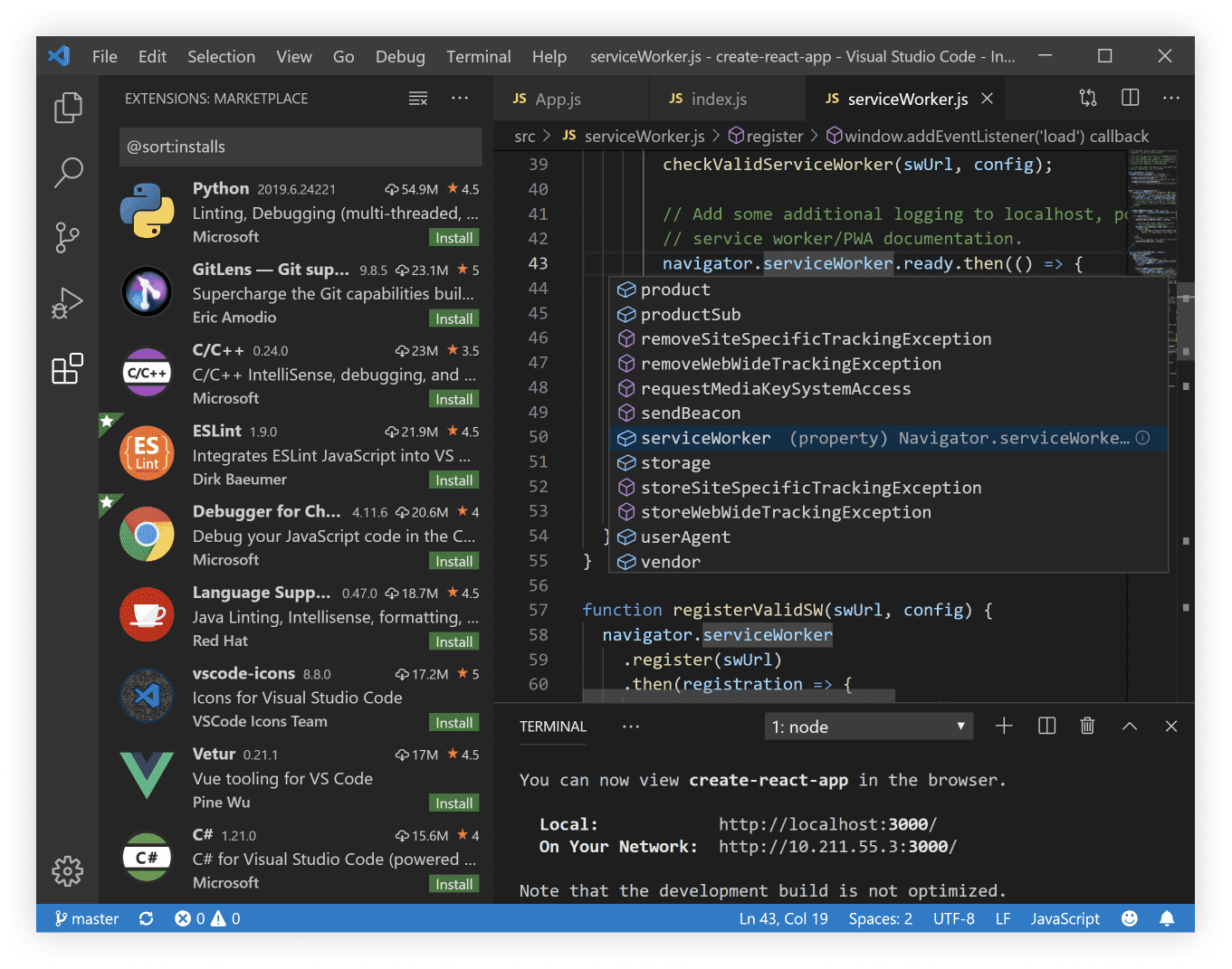
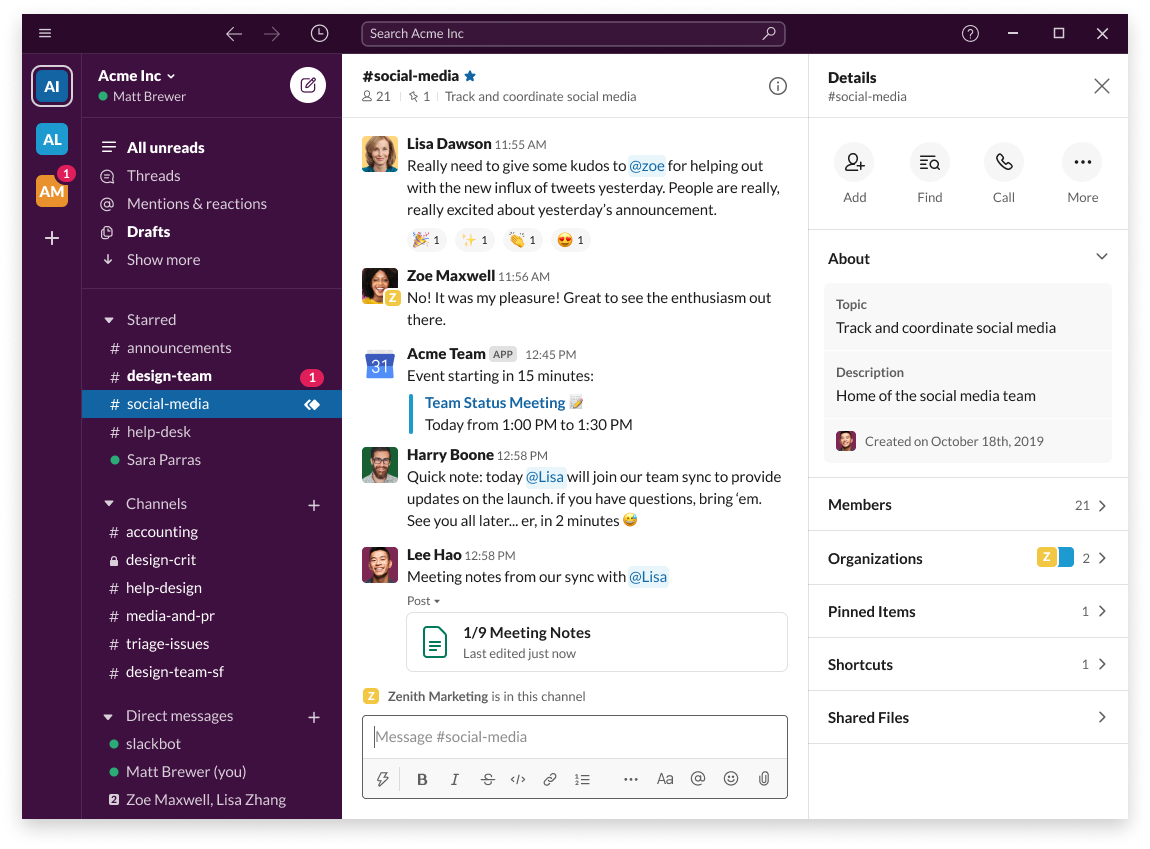




You see me impressed. Especially as they are supporting Wayland. Now please make electron apps non-blurry on Wayland